Learn how to implement conditional content by creating and applying condition tags to your content.
To implement conditional content in your project, you need to add condition tags and apply the tags to your content. After applying the tags, you can preview tagged content to check if the applied tags are working as expected.
Add a condition tag
Adobe RoboHelp provides two default condition tags—Online and Print. You can add new tags and group a bunch of related tags using the Group field in the Define Condition Tag dialog box. For example, you can group the Beginners, Intermediate, Experts, Developers, Administrators, and EndUsers tags under the Audience group. You can also choose background and text colors to differentiate the tags, and the content to which the tags are applied.
To add a new tag, do the following:
Click the Author tab at the left side of the Standard toolbar.
The Author view opens.
In the Author toolbar, click the Condition Tags icon.
In the Condition Tags panel, click the New Tag icon () in the upper-right corner.
In the Define Condition Tag dialog box, do the following:
Choose the group in which you want to create a tag, from the Group drop-down list. For example, to tag audience-specific content, choose the Audience group.
Note:
If you upgraded to Adobe RoboHelp 2019 from an earlier version, all your previous tags are grouped under the Others group in the Condition Tags panel. This is because the previous versions of Adobe RoboHelp did not contain the Group field. Adobe recommends that you organize your tags under appropriate groups. To do so, drag-and-drop tags from the Others group to the appropriate group in the Condition Tags panel.
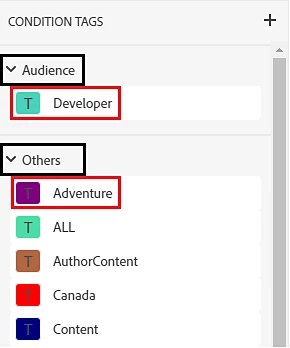
In the Condition Tags panel, groups (such as, Audience and Others) and tags (such as Developer and Adventure) under each group appear as shown in the image:
DECS:An illustration of how the condition tags appear
Note:
You can also add a new tag group, and rename and delete existing tag groups. Check out the steps in Manage tag groups.
Specify the tag name in the Name field.
In the Identify with area, select the background and text colors.
Background and text colors help differentiate multiple condition tags by highlighting the content chunks to which the tags are applied.
Click Done.
The group and the condition tag appear in the Condition Tags panel.
Edit a condition tag
In the Condition Tags panel, expand the Group drop-down list.
Double-click the condition tag set you want to modify. Alternatively, right-click a condition tag and choose Edit ( ).
In the Edit Condition Tag dialog box, modify the tag group, tag name, background, and text colors, as required.
Click Done.
Note:
All the references associated with the condition tag are updated to reflect the change, wherever applicable like Topic content, Condition Expressions, Dynamic Content Filters, and so on.
Delete a condition tag
From the Condition Tags panel, right-click a condition tag and click Delete ().
In the Confirm dialog box, click Yes to confirm the deletion. The condition tag is deleted.
Select multiple condition tags
From the Condition Tags panel, right-click a condition tag and click Select Multiple.
Click on all the condition tags you want to select.
Right-click the condition tags and click Delete ().
Note:
If the tags are renamed or deleted, their references are immediately reflected in the document content, wherever applicable like Topic content, Condition Expressions, Dynamic Content Filters, and so on.
Manage tag groups
You can add a tag group to the list of default tag groups. You can also rename and delete existing tag groups.
Choose File > Project Settings or press Ctrl+Shift+/.
The Project Settings dialog box opens.
To manage tag groups, use the Tag Groups tab in the Project Settings dialog box. For more information, see Tag Groups.
Click Done to save the changes.
Note:
All renamed or deleted condition tag occurrences are applied automatically to the topics.
Apply a condition tag
You can apply a condition tag to topics, topic content, TOCs, and indexes. Learn more here:
Click the Author tab at the left side of the Standard toolbar.
The Author view opens.
In the Author toolbar, click the Contents icon.
In the Contents panel, double-click a topic to open it.
Apply a condition tag to the topic through the Apply Tags button, which is accessible in two ways:
Option 1:
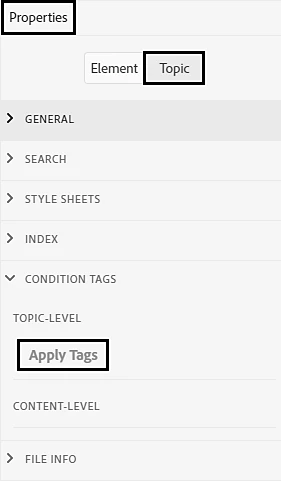
In the Properties panel, click the Attributes tab. Under Condition Tags, click on Apply Tags.
View Condition Tags dialog box
The Apply Condition Tags dialog box appears.
Option 2:
In the Contents panel, right-click the topic, and then click Properties. In the Topic Properties dialog box, under Condition Tags > Topic-Level, click Apply Tags.
The Apply Condition Tags dialog box appears.
In the Apply Condition Tags dialog box, do the following:
From the left side of the dialog box, click the tag you want to apply. The selected tag and its group appear in the right side of the dialog box. From here also, you can remove a tag by clicking .
Click Apply Tags to apply the selected tag.
The applied tag and its group appear under Condition Tags > Topic-Level in the Properties panel or the Topic Properties dialog box.
To save the changes, click the Save icon in the standard toolbar.
Click the Author tab at the left side of the Standard toolbar.
The Author view opens.
In the Author toolbar, click the Table of Contents icon.
In the Table of Contents panel, double-click a TOC to open it.
Note:
If the TOC is blank, that is, elements inside the TOC are not visible, click the Auto-create ToC icon on the standard toolbar to create the TOC. Note that clicking the Auto-create ToC icon includes all the topics in your project.
If you want to apply condition tags to selective pages, books, or TOC, click the Insert Page, Insert Book, or Insert TOC icons on the standard toolbar. Alternatively, click the Contents icon in the Author toolbar and from the Contents panel, drag-and-drop selective topics.
Select a book or a page inside the ToC.
In the Properties panel, under Condition Tags, click Apply Tags.
The Apply Condition Tags dialog box appears.
In the Apply Condition Tags dialog box, do the following:
From the left side of the dialog box, click the tag you want to apply. The selected tag and its group appear in the right side of the dialog box. From here also, you can remove a tag by clicking .
Click Apply Tags to apply the selected tag.
In the Properties panel > Topics tab, under Condition Tags > Topic-Level, the applied tag and its group appear.
To save the changes, click the Save icon in the standard toolbar.
Click the Author tab at the left side of the Standard toolbar.
The Author view opens.
In the Author toolbar, click the Index icon.
In the Index panel, right-click an index entry and click Apply Condition Tags.
The Apply Condition Tags dialog box appears.
In the Apply Condition Tags dialog box, do the following:
From the left side of the dialog box, click the tag you want to apply. The selected tag and its group appear in the right side of the dialog box. From here also, you can remove a tag by clicking .
Click Save to apply the selected tag.
To save the changes, click the Save icon in the standard toolbar.
Preview a topic with associated condition tags
You can preview the tagged elements in a topic to verify if the tagging is correct.
Click the Author tab at the left side of the Standard toolbar.
The Author view opens.
In the Author toolbar, click the Contents icon.
In the Contents panel, double-click to open the topic that you want to preview.
To switch to Preview mode, click the Preview icon on the right side of the standard toolbar.
To switch to preview mode
The preview mode opens and displays all tagged and untagged content. For example, the following image displays content tagged using three tags and untagged content.
View preview default
A. Content tagged with the EndUser tag B. Content tagged with the Marketing tag C. Content tagged with the Sales tag D. Untagged content
Select specific condition tags to check which content elements are tagged using the selected tags. For example, select the EndUser and Sales tags.
In the preview window, all content elements tagged with the selected tags (EndUser and Sales), and all untagged content remain. Content element tagged with the unselected tag (Marketing tag indicated by callout B in the Step 3 image) is filtered out.
View tags selection
A. Content tagged with the EndUser tag B. Content tagged with the Marketing tag is filtered out and not visible in the current image C. Content tagged with the Sales tag D. Untagged content
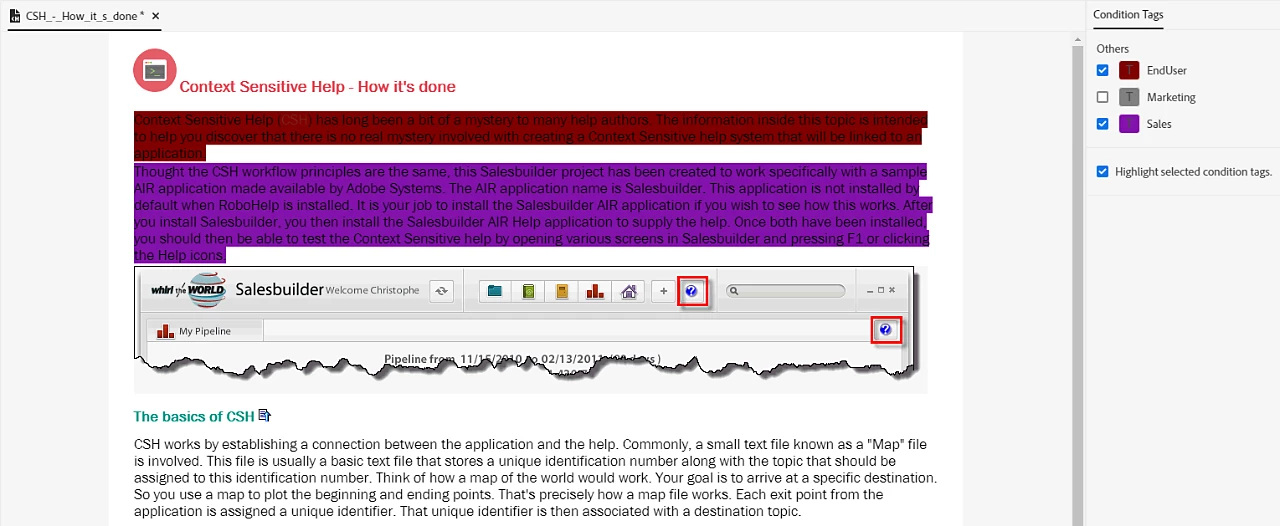
Select the Highlight selected condition tags field to visually differentiate tagged (only the selected tags) and untagged content.
In the preview window, tagged content is highlighted in the respective background and text colors of the selected tags (EndUser and Sales). Untagged content is not highlighted.
Preview highlight selected tags
Condition Expressions
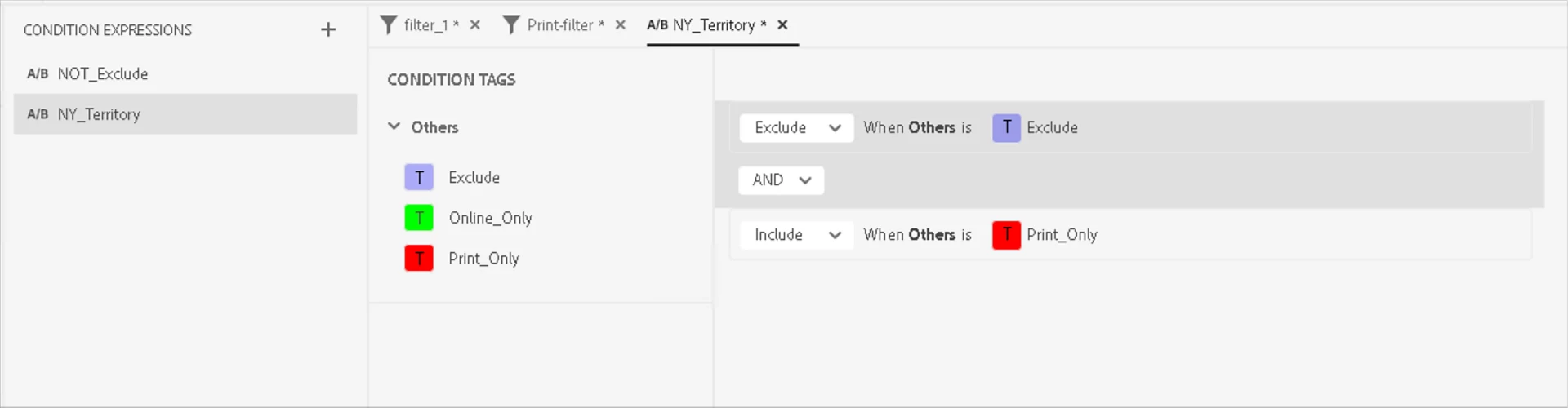
An expression is a set of instructions. Expressions specify topics to include or exclude from the output. You can define a basic expression that excludes tags, or a complex expression with Boolean operators, such as AND, OR, NOT.
To create a condition expression, follow the steps below:
Select the Output tab and in the left panel, select Condition Expressions.
To create an expression, select +.
In the New Condition Expression dialog box, enter the name of the expression.
Double click the expression that you have created.
Drag and drop the condition tags to the right panel.
Join our in-person and virtual events to explore technical content and knowledge management trends, hear customer success stories, build skills, and network with peers and industry leaders.


 ) in the upper-right corner.
 Note:You can also add a new tag group, and rename and delete existing tag groups. Check out the steps in Manage tag groups.
 ).
 ).
 The Apply Condition Tags dialog box appears.
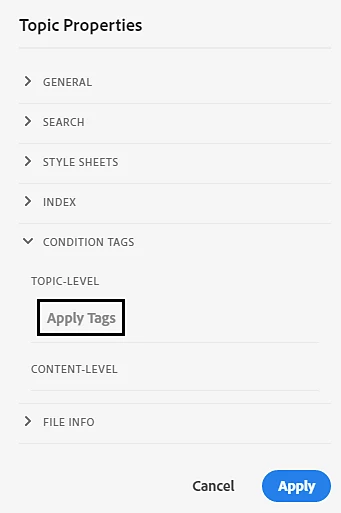 The Apply Condition Tags dialog box appears.
 .
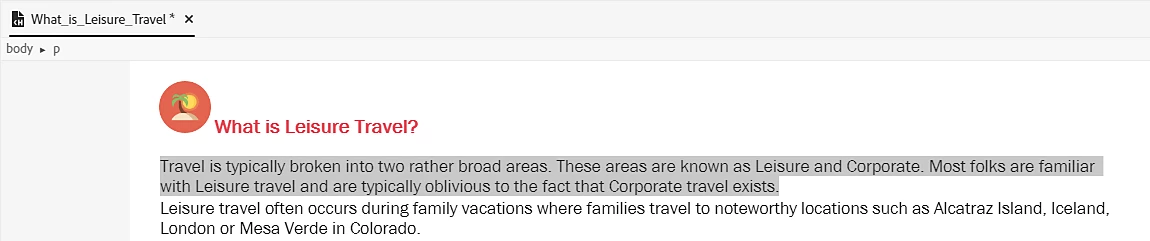
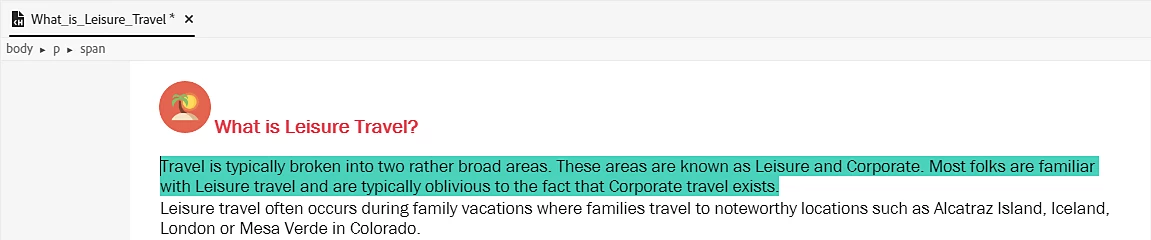 The content element is highlighted in the background and text colors of the condition tag applied.In the Properties panel > Topics tab, under Condition Tags > Content-Level, the applied tag and its group appear.
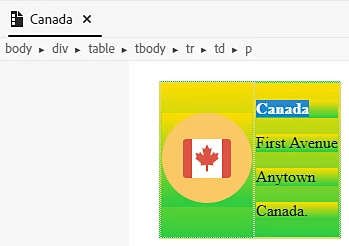
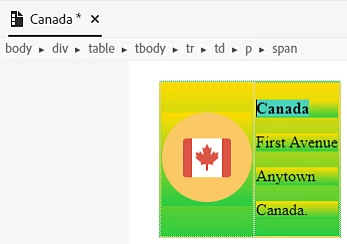 The snippet content is highlighted in the background and text colors of the condition tag applied.In the Properties panel > Topics tab, under Condition Tags > Content-Level, the applied tag and its group appear.
 The preview mode opens and displays all tagged and untagged content. For example, the following image displays content tagged using three tags and untagged content.
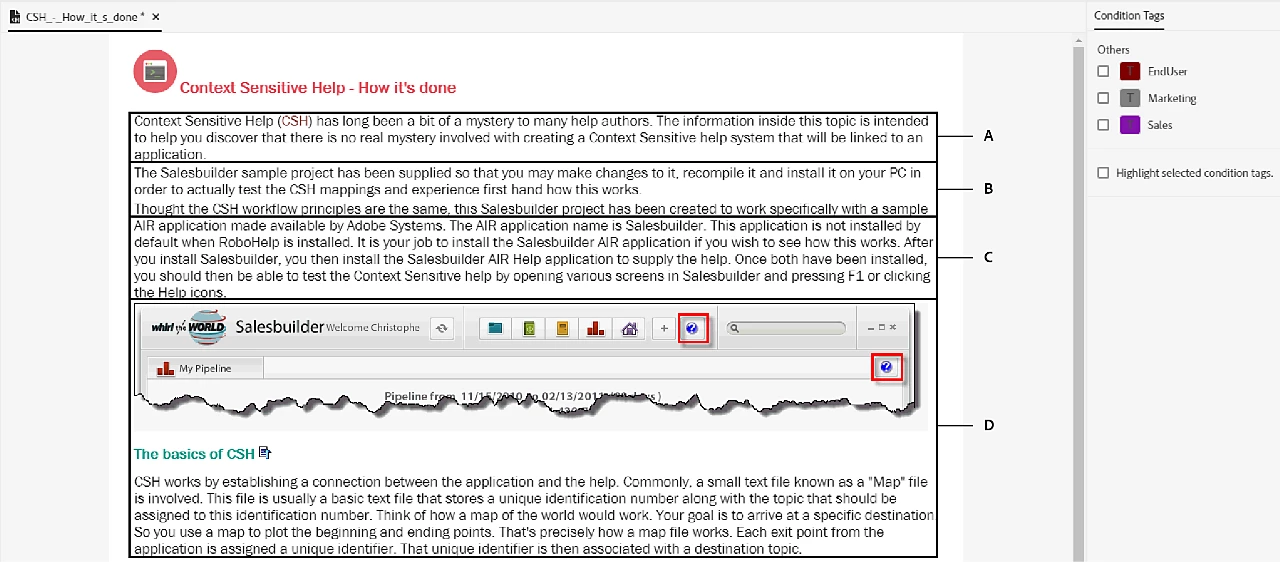 A. Content tagged with the EndUser tag B. Content tagged with the Marketing tag C. Content tagged with the Sales tag D. Untagged content
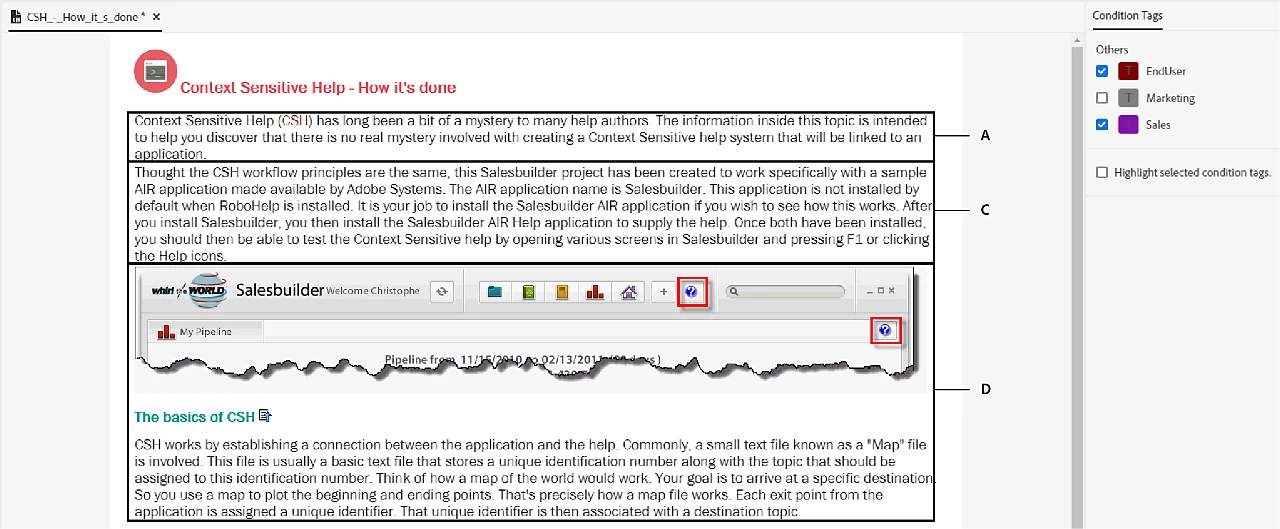 A. Content tagged with the EndUser tag B. Content tagged with the Marketing tag is filtered out and not visible in the current image C. Content tagged with the Sales tag D. Untagged content